


As all Search Engine and Pay Per Click folks know, having a good list of search phrases is a vital part of your search marketing efforts. The problem is, generating a long list of phrases and maintaining all the variations can be a chore.
Well, good news everyone, we have a solution in the form of a Microsoft Excel spreadsheet!
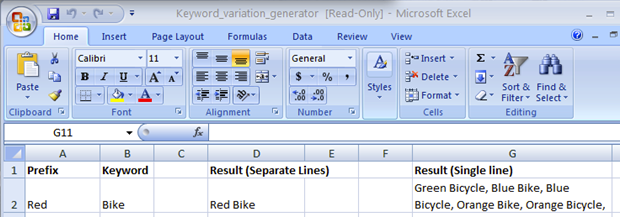
Our Excel sheet produces your generated keywords both separately and combined together in one string (where keywords are separated by commas). It works on as many prefixes and keywords as you require. Starting from a small core set of words you can generate many full phrases that could be used in your SEO efforts or to generate a long list for your Adwords campaigns.
You can download the file from here.
How it Works
First we loop through all the prefixes, and through the keywords. Next we fill the separate results column while building a combined results string.
For Each rngPrefix In rngPrefixesList
    For Each rngKeyword In rngKeywordList
        ActiveCell = rngPrefix.Value & " " & rngKeyword
        If strVariationList = "" Then
            strVariationList = ActiveCell
        Else
            strVariationList = strVariationList & ", " & ActiveCell
        End If
        ActiveCell.Offset(1, 0).Select
    Next
Next
As you can see, the meat of the code is some very simple string concatenations. You could modify it to add all the Adwords variations you need very easily, such as Exact Match brackets and so on.
At the end we put the combined result in the proper cell. For convenience we made a short-cut to activate the macro (CTRL+SHIFT+V).
Summary
Obviously this is just the start of what we could do. What else would you like to see incorporated into this tool? Perhaps we could do a follow up with more features?
About the Author: Yoav Ezer