


In a previous post, I explained how important it is to connect ad platforms to your CRM and leverage AI-driven smart bidding strategies. Most of the technologies that power this process rely on first-party cookies.
But with privacy becoming a global hot topic, and with regulations (such as those across the EU) requiring websites to request user permission before storing any non-essential cookies (like marketing or tracking cookies), advertisers face a new challenge. AI-driven smart bidding strategies become far less effective when fewer users’ behavioral data is tracked, especially for smaller websites with lower traffic volumes.
To reduce the impact of consent restrictions on data accuracy, and to enable smart bidding systems to continue analyzing user behavior, Google introduced Consent Mode—first with a basic version, then with an advanced version that uses cookieless pings and modeling to improve tracking accuracy.
Why Google’s Advanced Consent Mode Matters
If only basic Consent Mode is installed (which simply blocks all marketing cookies until consent is given), and assuming around 50% of users refuse consent, that means 50% of conversion and traffic data could be lost. Google will apply general modeling for conversion data, but that may not be sufficient for all websites.
- Large websites with plenty of conversions may still function well. With large data pools, there are enough conversions for smart bidding and AI to work effectively, making general modeling good enough in many cases.
- Smaller accounts with only a handful of conversions each month and fewer than 700 visitors per week will struggle to provide enough data for Google’s AI to optimize effectively.
To reduce this impact, Google introduced Advanced Consent Mode — a technical solution that sends cookieless pings. These signals allow Google to model traffic and conversions more accurately, even when cookies are declined.
In this post, I’ll walk you through how Consent Mode works and how it helps reduce data loss caused by cookie consent banners.
Consent-Aware Tags
Only consent-aware tags can take advantage of Advanced Consent Mode. Most Google products already provide them, including:
- Google tag
- Google Analytics
- Google Ads*
- Floodlight
- Conversion Linker
Supported consent types:
- ad_storage
- ad_personalization
- ad_user_data
- analytics_storage
These tags utilize cookieless pings that may include:
- Functional info (headers passively added by the browser):
- Timestamp
- User agent (web only)
- Referrer
- Coarse info:
- Whether the page URL included ad-click information (e.g., GCLID / DCLID)
- Boolean consent state
- Random number generated per page load
- Information about the consent platform (e.g., Developer ID)
Advanced vs. Basic Consent Mode – Impact on Tags
To keep things simple, here’s how Basic vs. Advanced Consent Mode behave when users either accept all or reject all/no consent:
| Consent Status | Basic Mode | Advanced Mode | Conversion Data Quality |
| Accept All | All tags fire after consent, but if consent is given after the landing page, key historical data (like referrer) may be lost. | Consent-aware tags fire on the landing page; when consent is later granted, cookies are set and historical data (including referrer) is preserved. | Basic: Good accuracy. Advanced: Perfect accuracy. |
| Reject All / No Consent | All tags blocked. GA and Ads cookies not set, no Google signals data collected. | Consent-aware tags fire but won’t set cookies. Instead, cookieless pings are sent to GA4 for future modeling. | Basic: Limited general modeling. Advanced: Advertiser-specific, more detailed modeling. |
Installing Google Advanced Consent Mode Using Google Tag Manager
You can read more details about setting up GCM here. Personally, I find that one of the most effective ways to install Google Advanced Consent Mode is through Google Tag Manager. To do this, you’ll need a Consent Management Platform (CMP). Google works with many CMP partners, most of which provide a community template in Google Tag Manager and support direct GTM integration. In most cases, you’ll also find an option in your CMP dashboard to enable this integration.
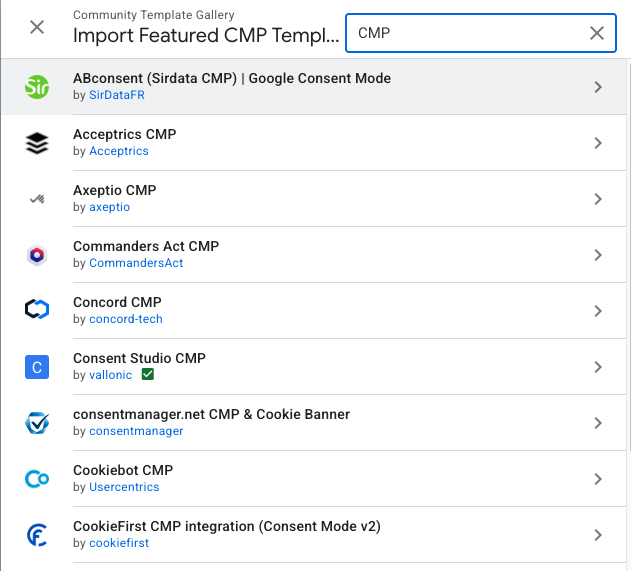
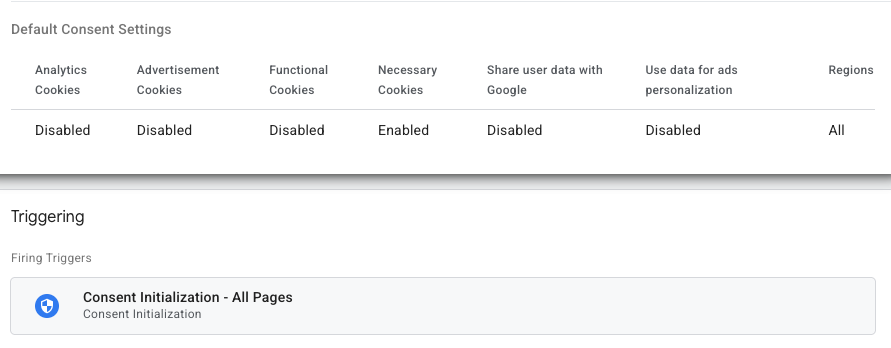
During the template installation, a default consent setting will be applied. A consent initialization trigger should be added, giving the CMP full control over tag behavior. Self-aware consent tags will automatically follow the default consent settings, while for other tags you’ll need to define consent-firing rules.
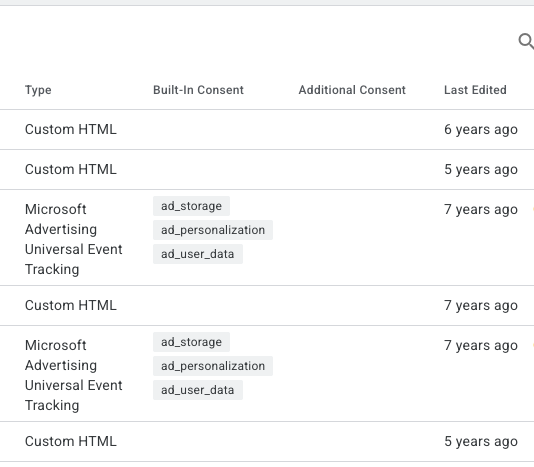
To get a quick overview of all tags using Consent Mode, you can enable the Consent Mode overview in GTM’s container settings.
Setting Up Your Cookie Consent Box: The Dilemma of Data Collection vs. Customer Experience
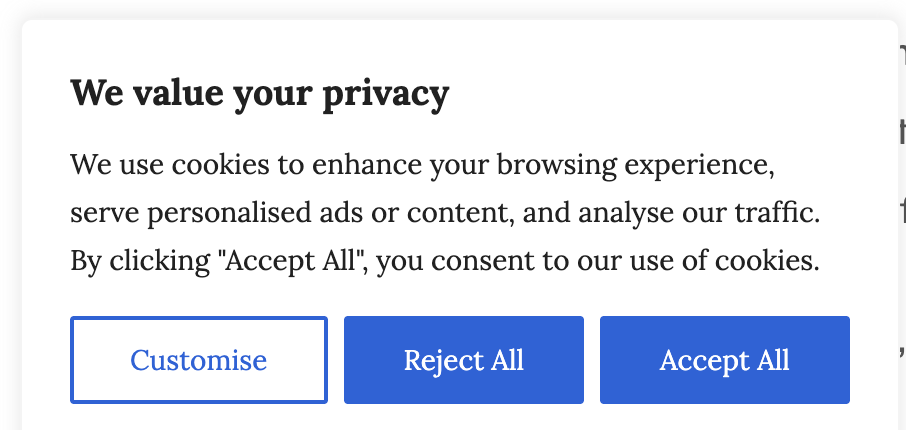
When it comes to setting up your cookie consent box, you face a trade-off between data collection and user experience.
You can design it to be passive—for example, a small banner tucked into the corner of the website. This approach minimizes disruption, but many users may ignore it, leading to lower consent rates.
On the other hand, you can make it more aggressive, such as using an interstitial that grays out the entire page until the user takes action. While this option is far less user-friendly, for websites with low traffic it may actually be the better choice, since it ensures a higher percentage of consented users—providing enough data for Google’s modeling to be effective.
Key Takeaway
In a cookieless world, Advanced Consent Mode is essential.
- It reduces data loss, especially for smaller accounts that rely on every conversion.
- It improves AI-driven bidding by providing modeled conversions even when cookies are declined.
If you haven’t implemented it yet, now is the time.
About the Author: Wisam Abdulaziz